WegetCloud Setup Guide: Multi-Platform Configuration with 4K Video Performance Test
Complete WegetCloud client setup tutorial for Windows, Android, iOS, and macOS. Real-world testing shows 200Mbps speeds on Hong Kong nodes, smooth 4K video streaming, and one-click subscription import for easy setup.
Quick Summary
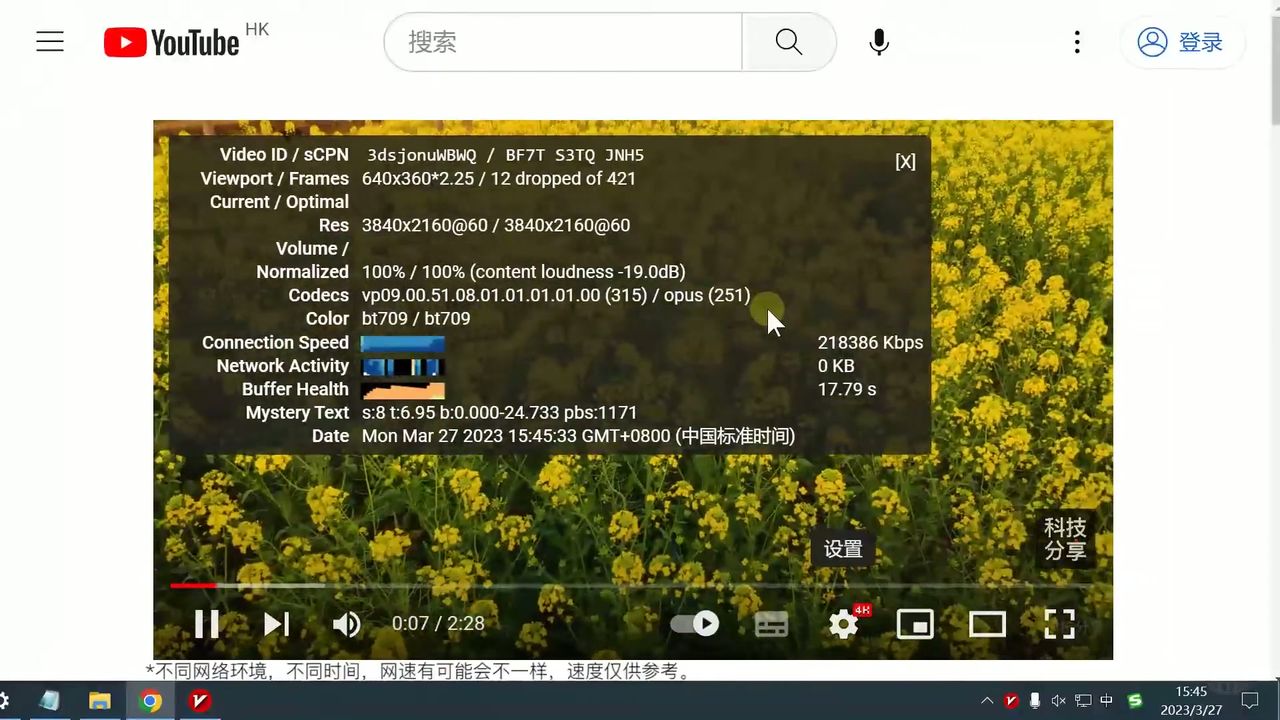
After over a year of real-world usage verification, WegetCloud premium network service demonstrates outstanding speed and stability. This tutorial provides detailed instructions for configuring WegetCloud clients on Windows, Android, iOS, and macOS platforms, along with real test data showing smooth 4K video playback across multiple nodes and download speeds that max out broadband connections.
WegetCloud Core Service Advantages
When choosing a network acceleration service, these key factors are crucial:
- Speed: Connection speed to overseas servers directly affects web loading and video streaming experience
- Stability: Whether connections remain stable for extended periods without frequent disconnections
- Node Diversity: WegetCloud offers 29+ premium global nodes to meet various access needs
- Compatibility: Supports major operating systems and multiple client software (Clash, V2Ray, Shadowrocket)
- Ease of Use: Convenient registration, configuration, and daily usage with clear tutorial guidance
WegetCloud Performance Test Data
| Test Item | Measured Value | Test Description |
|---|---|---|
| Service Usage Duration | 1+ Year | Long-term stability verified |
| Basic Plan Node Count | 15 | Fast speeds for daily use |
| Premium Plan Node Count | 29 | Faster speeds, more choices |
| Hong Kong Node 4K Video | ~200 Mbps | Ultra-fast smooth playback |
| Taiwan Node 4K Video | ~200 Mbps | Ultra-fast smooth playback |
| Singapore Node 4K Video | ~180 Mbps | Excellent performance |
| US Node 4K Video | ~160 Mbps | Good performance |
| Web Download Speed | ~16 MB/s | Maxed out broadband |
| Web Upload Speed | ~3+ MB/s | Maxed out broadband |
| Supported Clients | V2Ray / Clash / Shadowrocket | Full platform support |
WegetCloud Client Setup Guide
Windows PC Setup (Using V2Ray/Clash)
Step 1: Download Client
- Visit WegetCloud Download Page to get the Windows client
- Install Clash for Windows or V2Ray client
Step 2: Get Subscription Link
- Log in to WegetCloud official website
- Go to “Subscription Center”
- Select the corresponding client type (Clash/V2Ray)
- Copy the subscription link
Step 3: Import Subscription
- Open the client software
- Find “Subscription” or “Profiles” settings
- Paste the subscription link and update
Step 4: Select Node and Connect
- Use latency test to filter optimal nodes
- Enable system proxy to start using
Android Phone Setup (Using Clash)
Android platform setup is even more convenient with one-click import feature:
- Download Clash for Android client
- Log in to WegetCloud website, go to Subscription Center
- Select “Clash” type
- Click “One-click Import” button
- The app will automatically open and complete configuration
- Select node and start connection
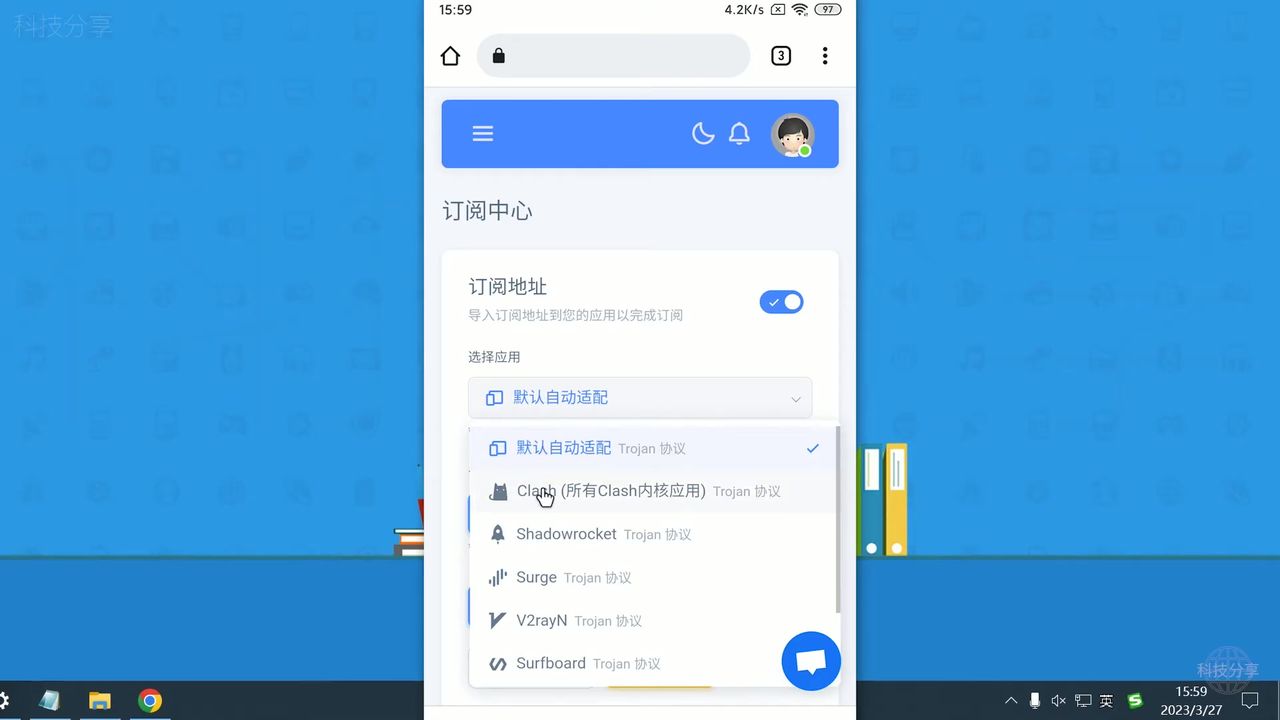 Android Clash client one-click import, extremely convenient setup
iOS Device Setup (Using Shadowrocket)
- Download Shadowrocket using non-China Apple ID
- Copy WegetCloud subscription link
- Add subscription in Shadowrocket
- Select node and enable acceleration
macOS Setup
macOS users can use Clash Verge or other compatible clients, with setup steps similar to Windows.
Test Screenshots
WegetCloud Plan Node Count
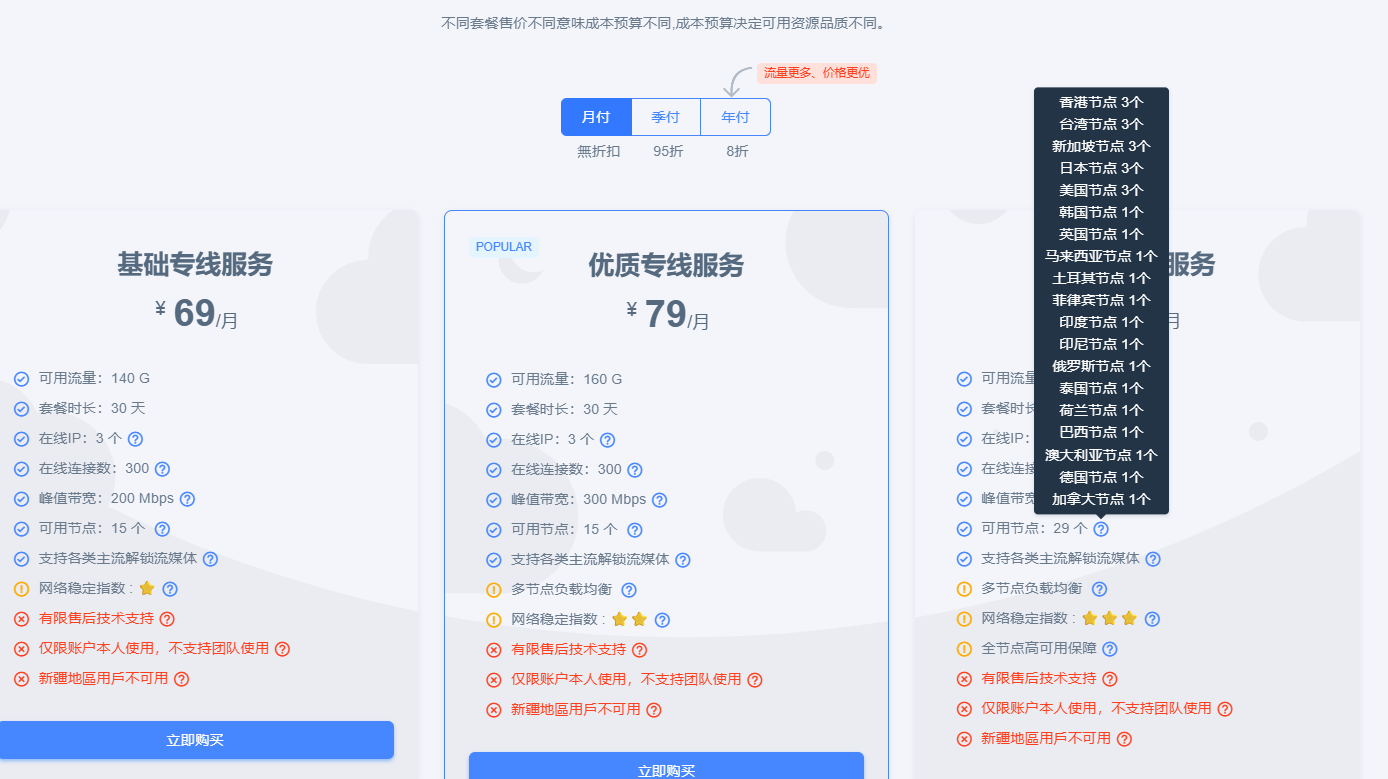 Basic plan: 15 nodes, Premium plan: 29 nodes
4K Video Playback Speed Test
Hong Kong node tested at ~200Mbps, 4K video streams instantly and smoothly
Network Speed Test
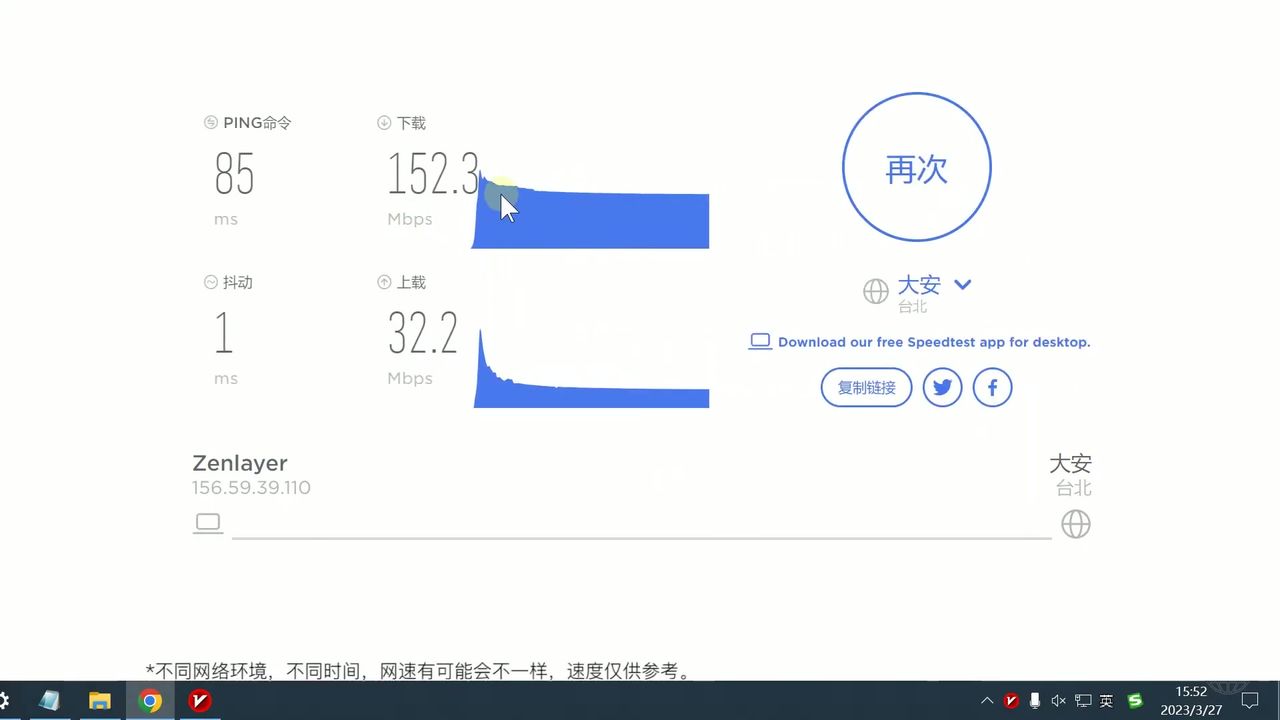 Download speed ~16MB/s, upload ~3MB/s, maxing out broadband
YouTube Access Verification
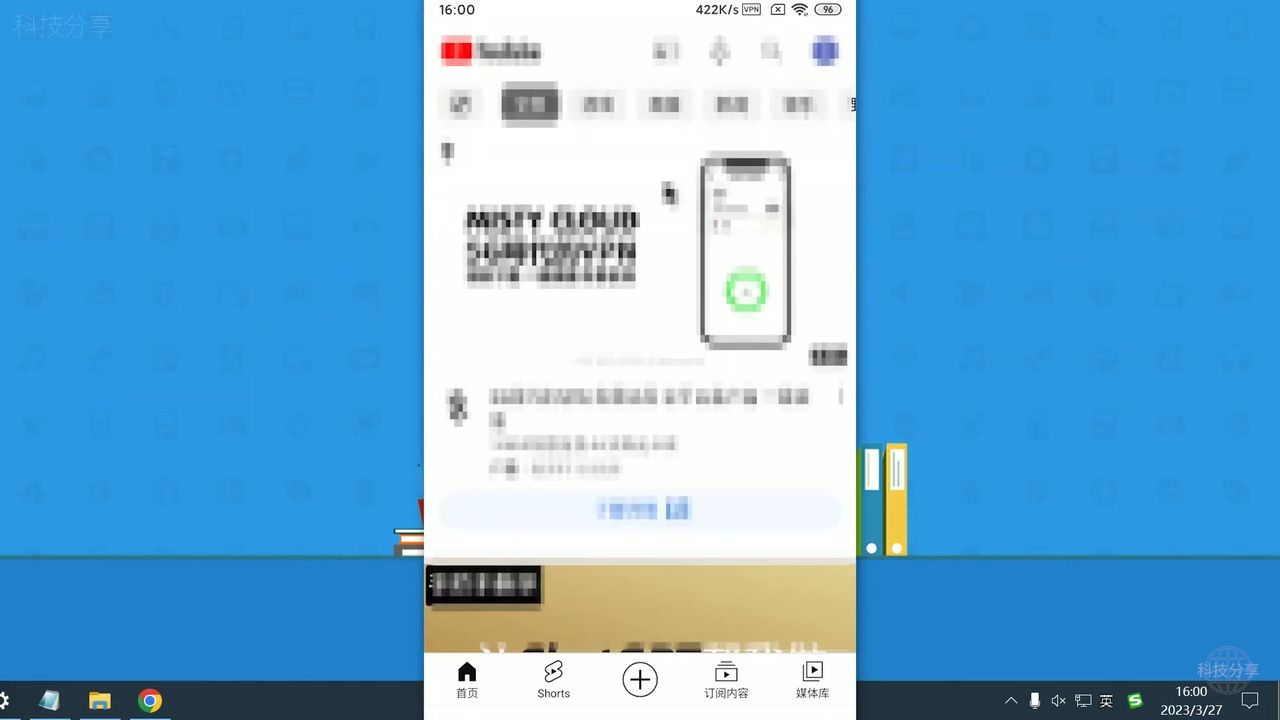 Mobile device successfully accessing YouTube and other international platforms
Daily Usage Experience
After over a year of use, WegetCloud’s performance has been satisfying:
- Multiple High-Speed Stable Nodes: Hong Kong, Taiwan, Singapore, US nodes all stream 4K video smoothly
- Excellent Speed Performance: Generally reaching 160-200 Mbps, easily handling any usage scenario
- Maxed Out Broadband: Downloads reach 16MB/s, uploads about 3MB/s
- Buffer-Free Experience: Smooth streaming playback, efficient web browsing
Target Users
Recommended For
- Users with extremely high requirements for speed and stability who need to watch 4K HD videos
- Multi-device users who need to use across Windows, Android, iOS, and macOS
- Users seeking convenient setup, with “one-click import” feature enabling quick start for beginners
Not Recommended For
- Price-sensitive users with limited budgets
- Occasional users with only basic web browsing needs
Conclusion
WegetCloud premium network service, with its high-speed stable performance and convenient setup process, is an ideal choice for users seeking quality network experience. Whether you use Windows, Android, iOS, or macOS, you’ll find a suitable solution.
Further Reading
- ⚡ WegetCloud In-Depth Review - 3 years of real-world experience, 8K streaming during peak hours
- 🚀 5-Minute Quick Start Guide - Essential beginner setup, easy for everyone
- 💬 ChatGPT Plus Android Subscription - Subscribe at original price using US nodes
- 🔐 Google Account Registration Guide - Complete guide with clean IP
Get Started with WegetCloud
Ready to set up? It only takes a few minutes:
- Full platform support: Windows, Android, iOS, macOS
- One-click subscription import: Easy setup for beginners
- Tested at 200Mbps: Instant 4K video streaming